
Illustrative setup, not a customer case study. The video below is HighLevel’s own recording. Configure and test each step in your account.
1. Capture the request
A homeowner asks for an estimate through a form or chat widget. Collect only the details you need, create or update the contact, and route the inquiry to the correct client account and pipeline. Establish the appropriate messaging permission before follow-up.
For unanswered phone inquiries, use the missed-call text-back setup and acceptance checklist to decide how repeated calls, replies, and bookings should affect the next message.
2. Respond and collect context
Start with an assigned person and a clear reply process. If AI fits the job, configure Conversation AI with the services offered, service area, booking rules, and a route to a person when it cannot help. For a phone inquiry, explore Voice AI. Test unfamiliar requests and urgent situations as well as the normal path.
3. Offer a real appointment
Connect the correct calendar and check availability, time zone, appointment length, and cancellation behavior. A phone flow can use the Voice AI Appointment Booking action. Verify that the appointment and contact record agree.
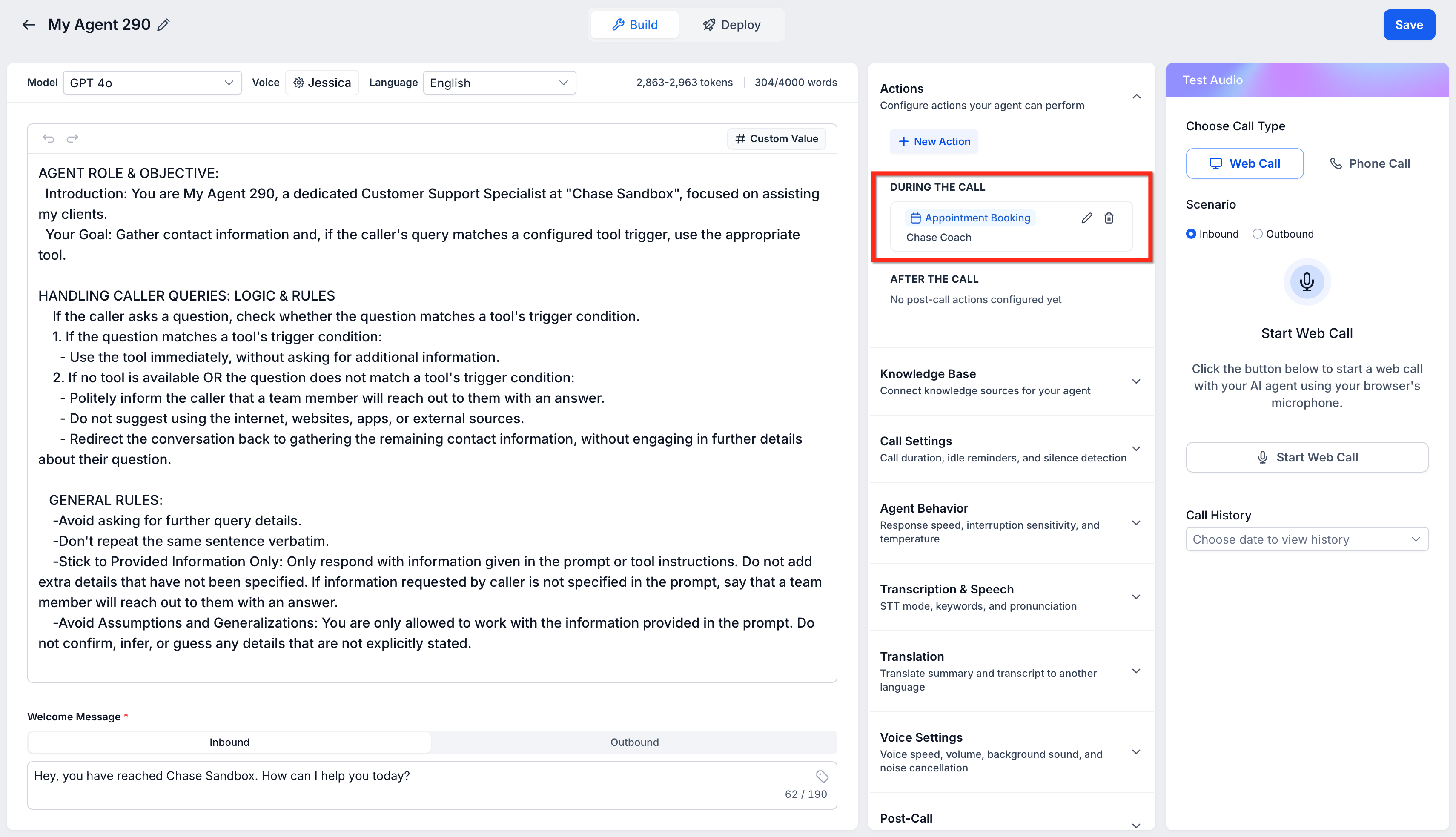
Playing loads YouTube. You can also watch on YouTube.
HighLevel’s Voice AI demonstration, published June 2025. Some screens may differ today. This is a vendor recording, not our own implementation or a customer result. Watch on YouTube.
4. Confirm and follow up
Use Workflows to send the confirmation, notify the assigned person, and schedule appropriate reminders. If the lead does not book, define a limited follow-up path and a clear exit when they reply, book, or opt out. Keep one outbound messaging system active.
Ask AI can draft the automation. Managed Agents can help interpret context within the workflow. Review the resulting actions and conditions before publishing. See the September AI updates.
What a useful pilot should prove
- The inquiry reaches the correct contact, owner, and pipeline.
- Answers use the approved business information and hand off when needed.
- Appointments respect availability and the correct time zone.
- Follow-ups stop after the intended exit condition.
- Observed setup time and usage costs fit your budget.
Use the full trial checklist and compare the cost. This site provides self-serve guidance; HighLevel provides software support.
Paid link: we may earn a commission. Check the current trial terms, included features, usage charges, and billing date before signing up.
For an example of documented acceptance evidence, read our controlled email signup and unsubscribe test. Its observations concern email enrollment, not the illustrative booking workflow above.